Traces & conversations
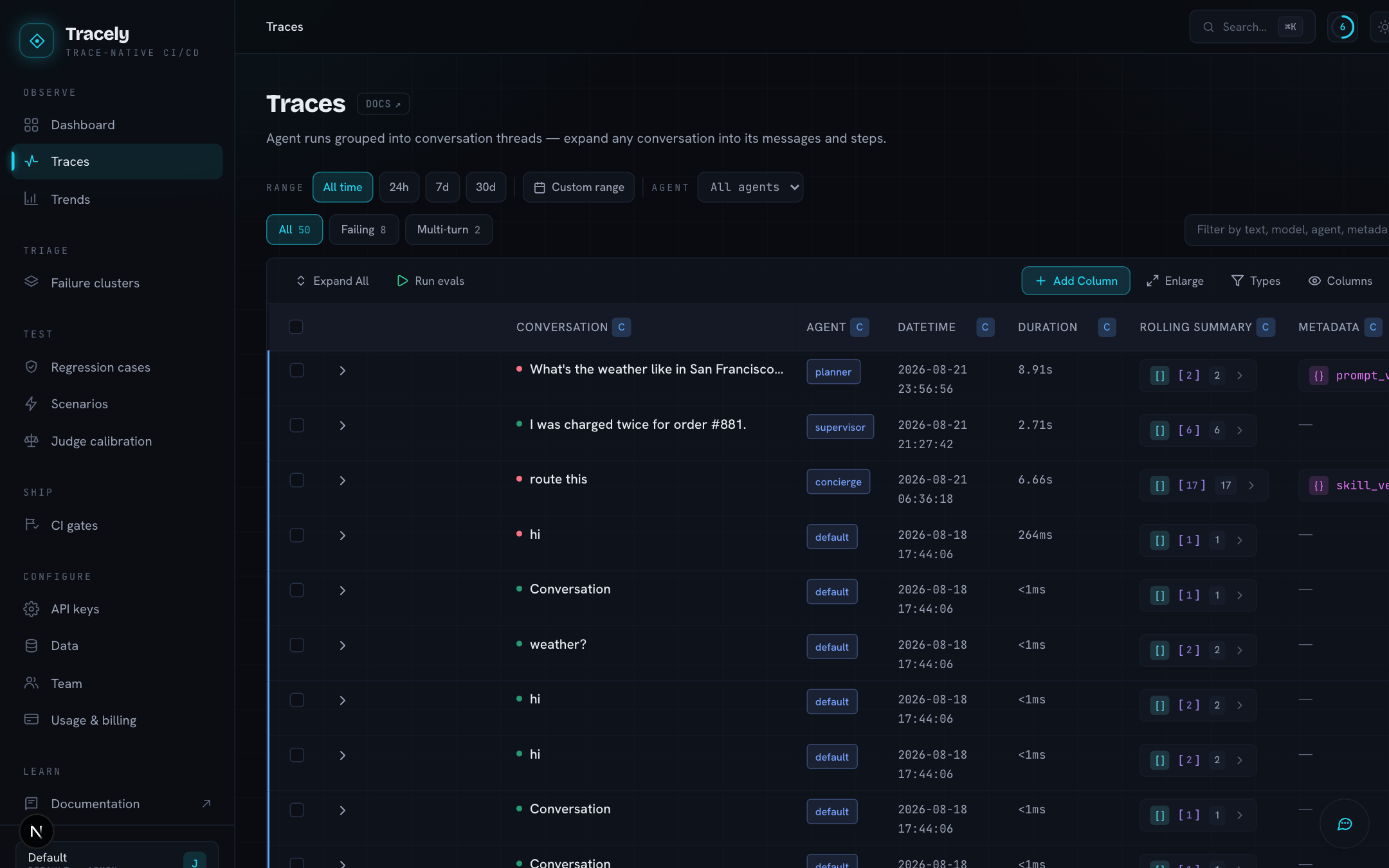
Everything in Tracely is derived from this screen. A trace is one agent run (one turn); traces that share a conversation id form a conversation (a thread). The table shows the whole workspace as conversations you expand into messages, and messages you expand into steps.
The three levels
| Badge | Level | One row per | What the columns show |
|---|---|---|---|
| C | Conversation | thread | title (the first user message), time, duration, summary, metadata, token usage |
| M | Message | turn (one trace) | role, turn number, time, duration, the request and the answer, usage |
| S | Step | span | type (AGENT, GENERATION, TOOL, RETRIEVER, THINKING, …), time, duration, agent, model, name, input, output, usage |
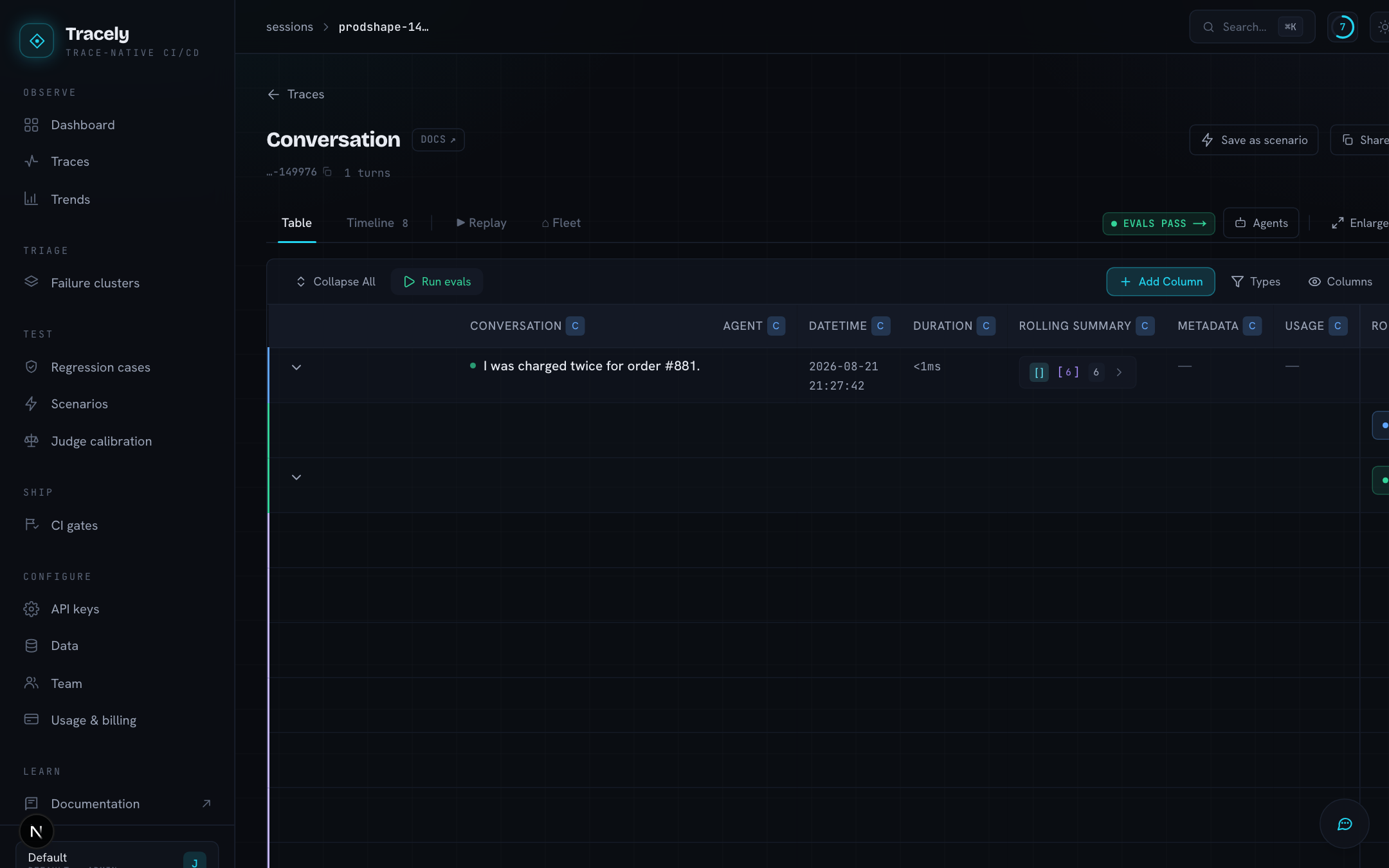
Rows load lazily: a conversation’s turns are fetched the first time you open it, a turn’s steps the first time you open that. The coloured left border tells you which level a row is (blue C, green M, purple S).
Rich cells. A message object renders as a role pill that opens the full bubble; raw JSON as a { } pill with a highlighted panel; multimodal content as text plus image/file chips; usage as a Σ pill with a tokens / cost breakdown. Nothing is truncated in place — click the pill.
Controls (top-right of the table, remembered per browser): Expand / Collapse all, Columns (hide what you do not read), Enlarge (the table breaks out of the page width), and + Add Column.
Filters
- All · Failing · Multi-turn — refine the loaded rows. Failing is the one verdict policy: a conversation fails iff some non-advisory evaluator scored one of its levels
FAIL. - Agent — one agent at a time.
- Range — a date range.
- Search — free text over content, model, agent and metadata.
- Evals — the one filter that asks the server for different rows: Tracely’s own work. Every evaluation run and every scenario run is itself recorded as a trace (tagged
EVAL/SIM) — the judge’s prompt and its reply, the attacker’s move, the POST to your endpoint. They are hidden from every list, count and metric unless you ask for them here.
Evaluator columns — the grades
Every enabled evaluator is a column. Its cell holds the score for that row’s level: a conversation-level judge fills the C row, a message-level one the M rows, a step-level one the S rows. Click a score pill for the full verdict, the rationale and the raw output.
Two kinds of evaluator exist:
- Structural — deterministic checks computed from the spans: run outcome (any
ERRORspan), tool success, tool consistency (the model requested a tool that never executed — a silent failure), latency budget, required tools. - LLM judge — a rubric graded by a model, at the level you choose. Runs on the workspace’s own OpenRouter key (Settings → API keys).
An evaluator can be marked advisory: it still grades and shows its pill, but a FAIL on it does not make the run fail. Use it for subjective quality metrics you want to watch but not block on.
Add Column
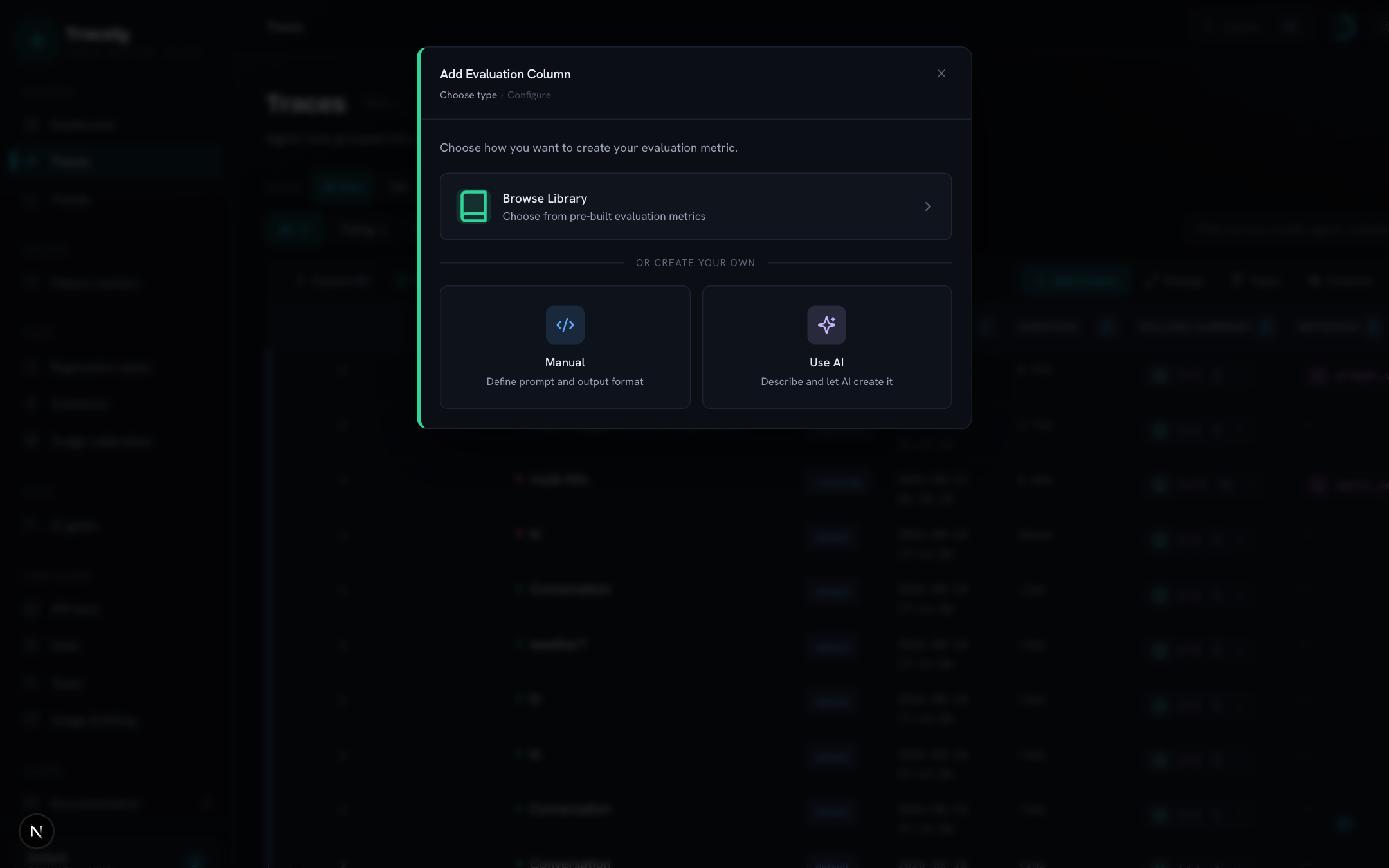
- Pick how — Browse Library (pre-built metrics), Manual (write the prompt and output format yourself) or Use AI (describe the metric; the model drafts it).
- Pick the level — Step (every event inside a message: tool calls, thinking, hand-offs), Message (one grade per request/answer) or Conversation (one grade for the whole thread).
- Configure — metric name, the prompt (a basic rubric gets the request/answer/tools/transcript injected for it; an advanced prompt uses
@VARIABLESsuch as@HISTORYor@CURRENT_STEPand controls its own context, with a live preview against a real trace), output type (scorewith a pass/fail threshold,number,boolean,text, or ajsonschema you build), model, execution mode (batch vs sequential), and targeting — which agent / env it runs on, a sampling rate to cap judge spend, and the advisory flag.
Columns grade online: every new trace is scored a few seconds after ingest. You can also re-run a column on demand from its header. The full semantics (levels, sequential grading, templates) are on the Evaluations page.
Sampling is deterministic per trace and metric, so a trace that arrives in several span batches makes the same keep/drop decision every time — scores converge instead of flickering.
One conversation, five lenses
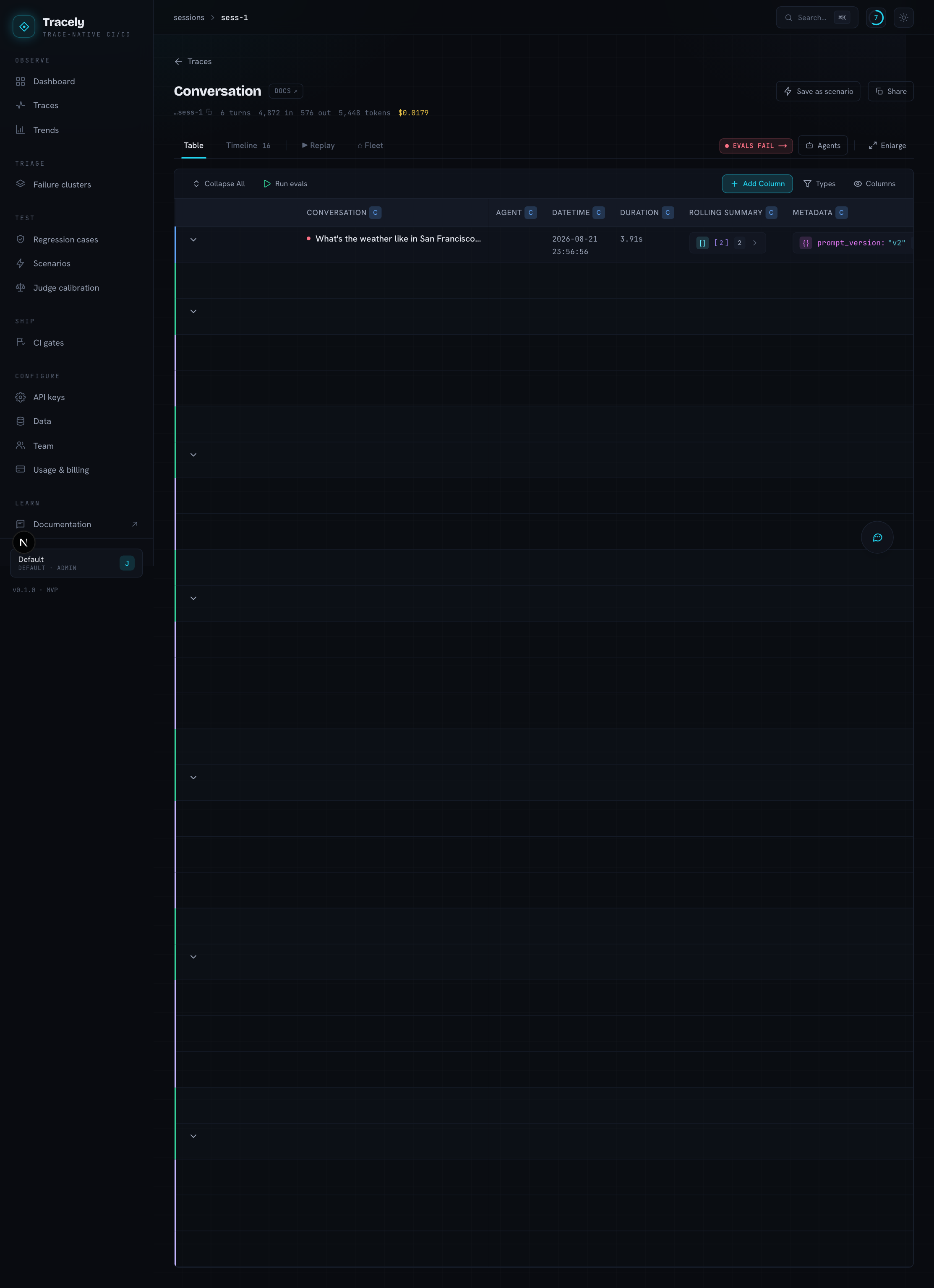
Open a conversation and the same thread is available in five views, sharing one header (thread id, turns, tokens, cost) and one tab strip. The header’s actions are Save as scenario (replay this real conversation against your agent’s endpoint — see Scenarios) and Share (a read-only link).
| Lens | Shows |
|---|---|
| Table | the same C → M → S tree, fully expanded, with every evaluator column |
| Timeline | a waterfall of the spans — bars by type, nested by depth, input/output on expand |
| Replay | the thread acted out on one scrubbable clock: a lane per agent (sub-agents nested), a step log that follows the playhead |
| Fleet | the same script as a pixel office — a desk per agent, tools on the wall, skills in the library, delegations walking over with speech bubbles; click a character for its personnel file |
| Evals | how Tracely graded this conversation: per column, whether the judge is up to date, and the recorded judge calls at each level |
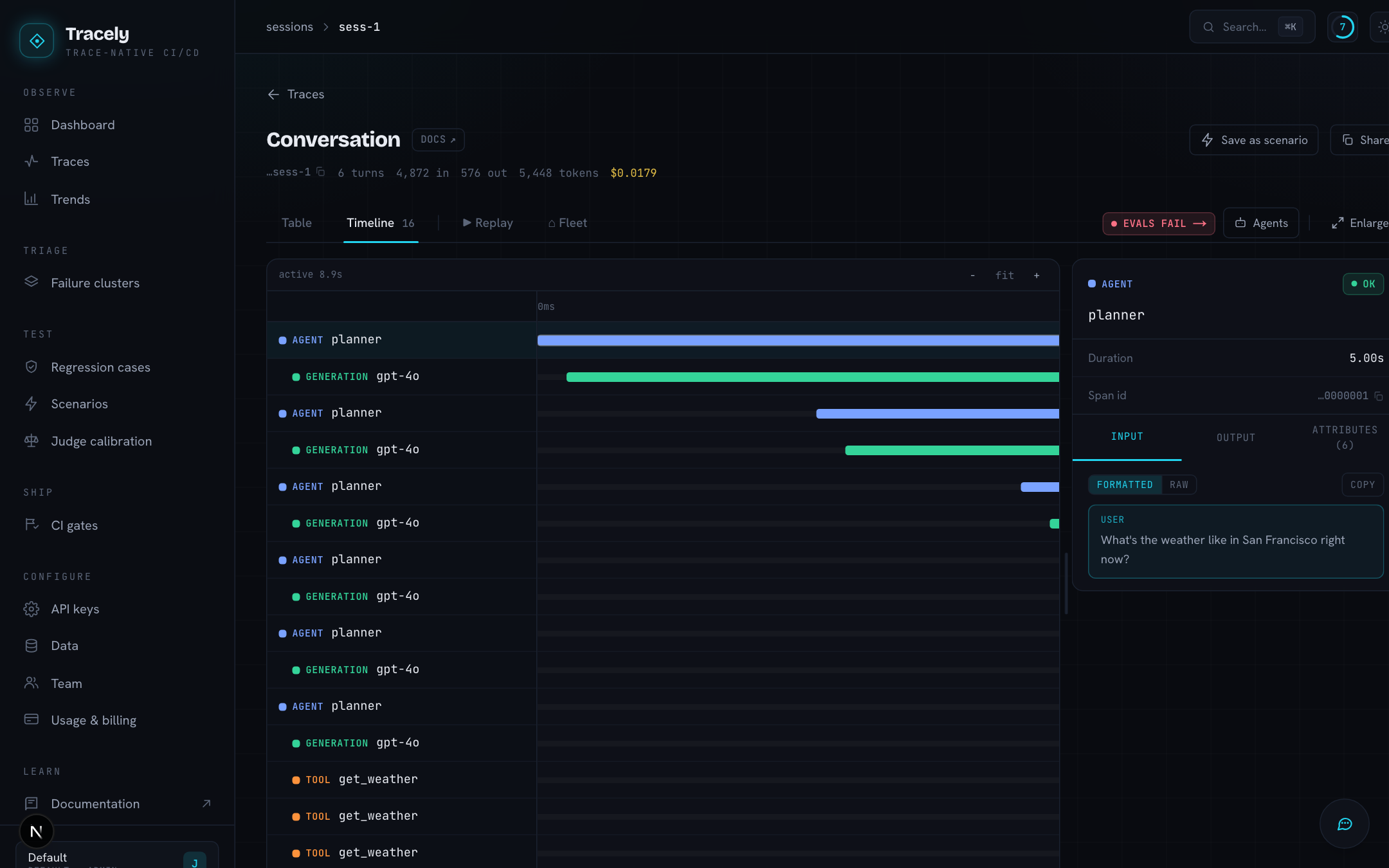
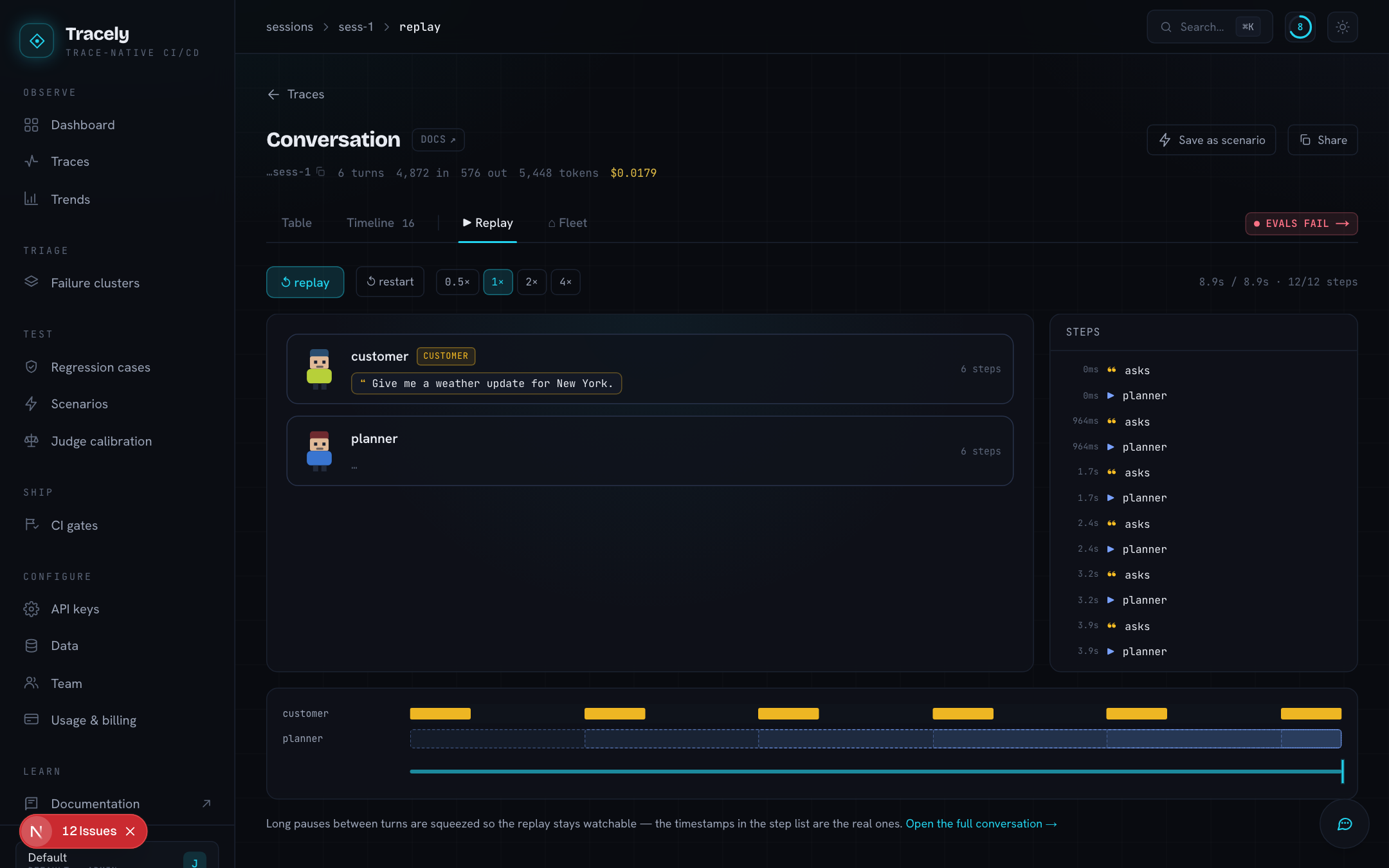
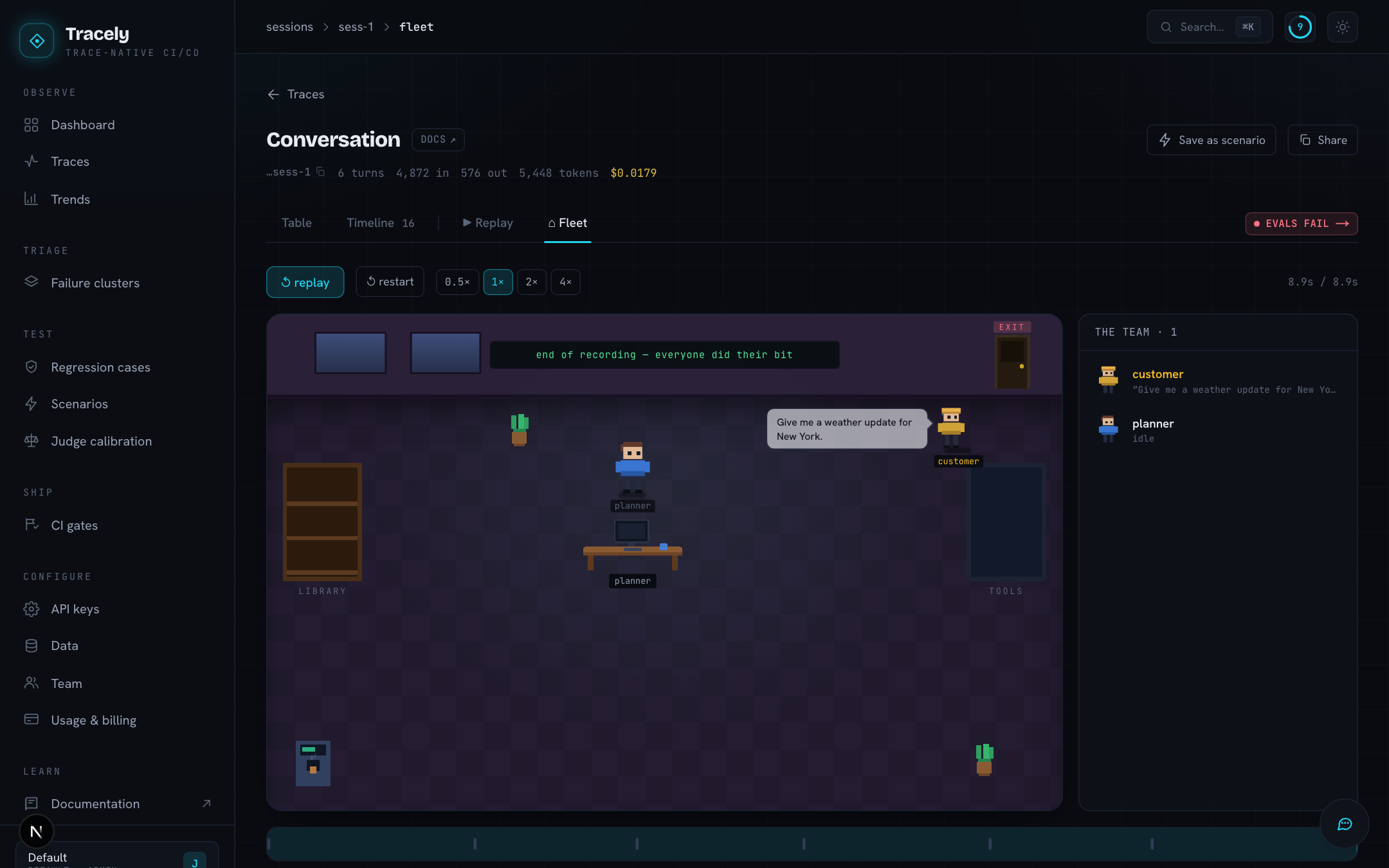
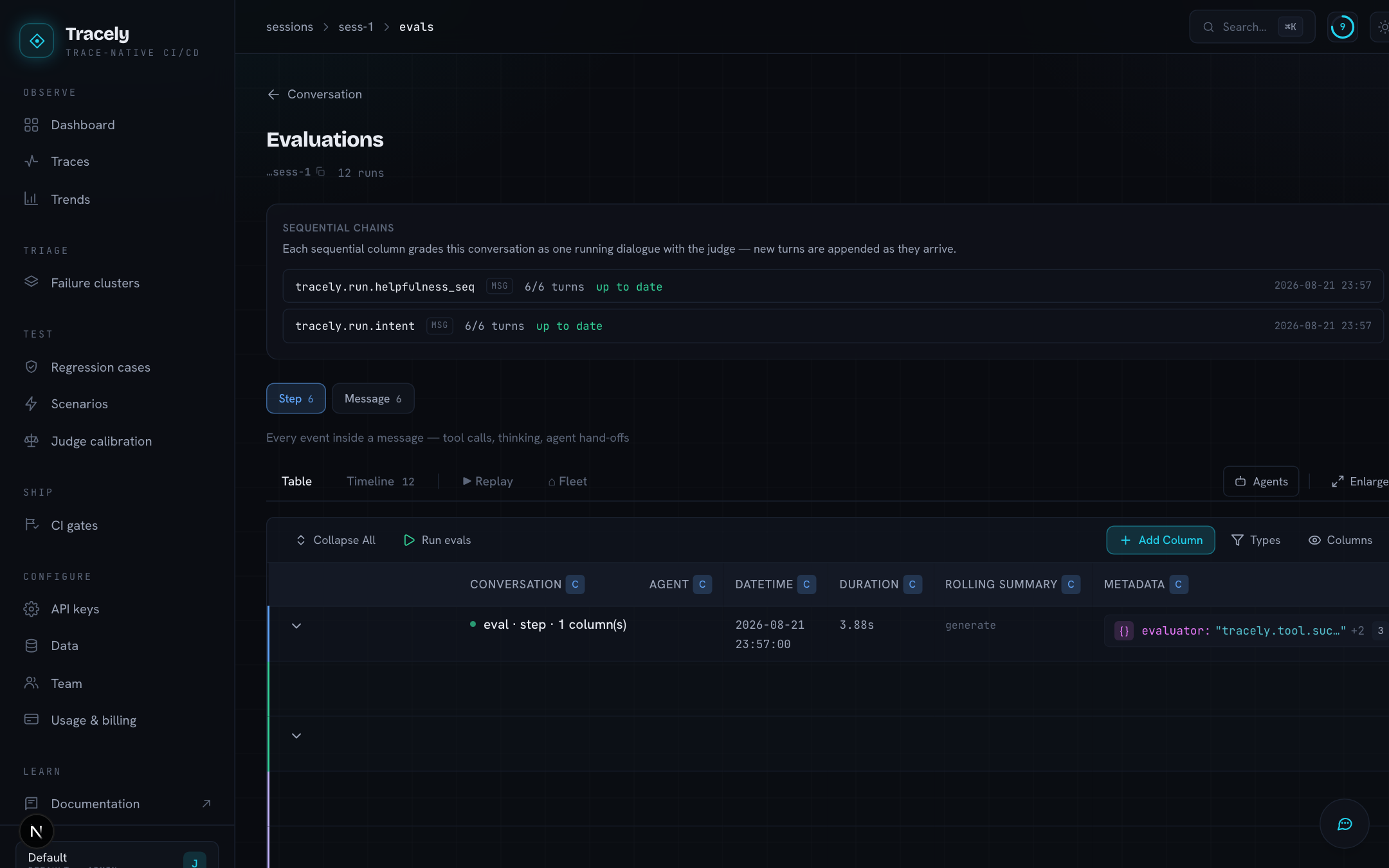
Agents drawer. The button in the header opens the agents of this conversation — exactly what a judge reads as @AGENTS. The catalog your SDK declared (tracely.trace(agents=[...])) is merged with what the spans show: tools the model was offered and tools it called, each marked declared, offered or called only, with its call count. When the traces show tools your definition left out, the drawer says how many — so a judge can say “the agent should have called issue_refund and didn’t”, and you can see when your catalog is out of date.
Rolling summary. Long conversations carry an accumulating summary, one entry per step: short steps verbatim, long ones compressed, the oldest folded together once the list grows past a budget. It is what a judge reads as @HISTORY, so grading turn 40 does not mean re-reading turns 1–39.
A single trace
/traces/<trace id> is one turn on its own: spans, latency, usage totals, the same Table / Timeline tabs — and a Promote button when the trace is failing, which turns it into a regression case.
Filtering (2026-09)
Every filter on the traces list — time range, agent, sort, Failing, Multi-turn and the text box — is a server query over the whole workspace, never a pass over the rows already on screen: a matching conversation past the first page is found, the N matching count, the empty state and the pages all describe the same result set, and a slow older query can never overwrite a newer one. The text box searches, case-insensitively, the first user input, the last answer, the model id, user metadata (keys and values) and the agent id. The view lives in the URL (?range=7d&agent=…&filter=failing&q=refund), so a link reproduces it; link to this view under the table copies it. Cross-workspace results cannot appear: every query carries the workspace the ingest key resolves to.