Failure clusters
Triage works on kinds of failure, not on traces. A cluster (an issue) is a group of failing runs that broke the same way, with a count, a history, a written analysis and a proposed fix.
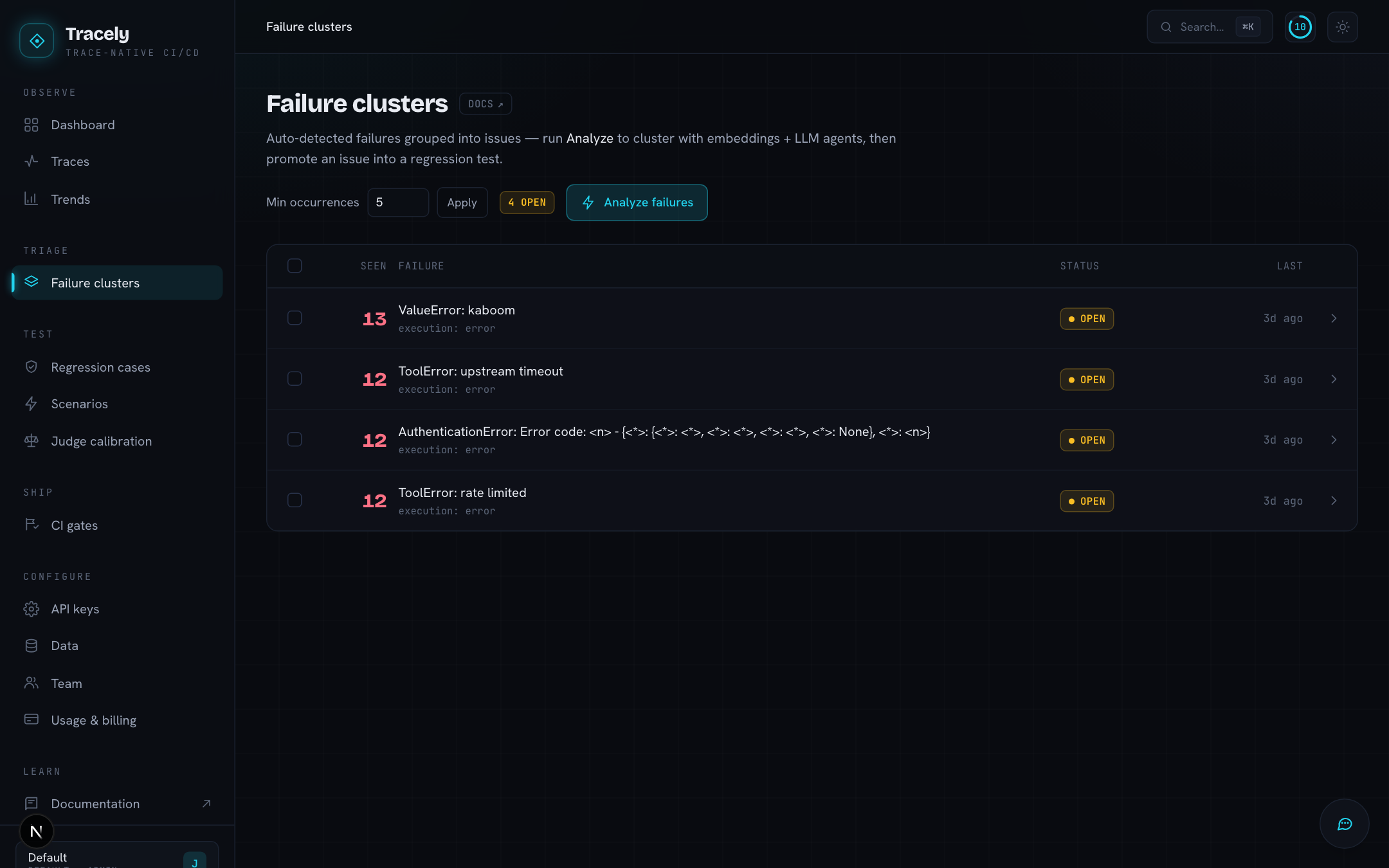
How runs end up in a cluster
Two stages, cheap first:
- At ingest — structural. The moment a trace fails an evaluator, Tracely builds a signature from which evaluators failed plus the error text with ids, numbers and quoted strings masked out, hashes it, and files the run into the cluster with that signature. No model, no delay — two runs that raised the same exception land together within seconds.
- On demand — semantic. Analyze failures re-clusters everything: each failing run is described by its mechanism (what was asked, which tool broke, how the answer went wrong), embedded, and grouped with HDBSCAN (UMAP first only when there are many). A model then writes each cluster up as an issue — title, analysis, proposed fix, a suggested evaluator — and a second pass merges issues that are really one and splits ones that are really two. Promotion and ignore state carry over from the previous clustering.
Stage 2 needs the workspace’s OpenRouter key; without one the button is disabled and you keep the structural clusters.
Min occurrences hides the long tail: set it to 3 and you only see issues that happened at least three times.
An issue
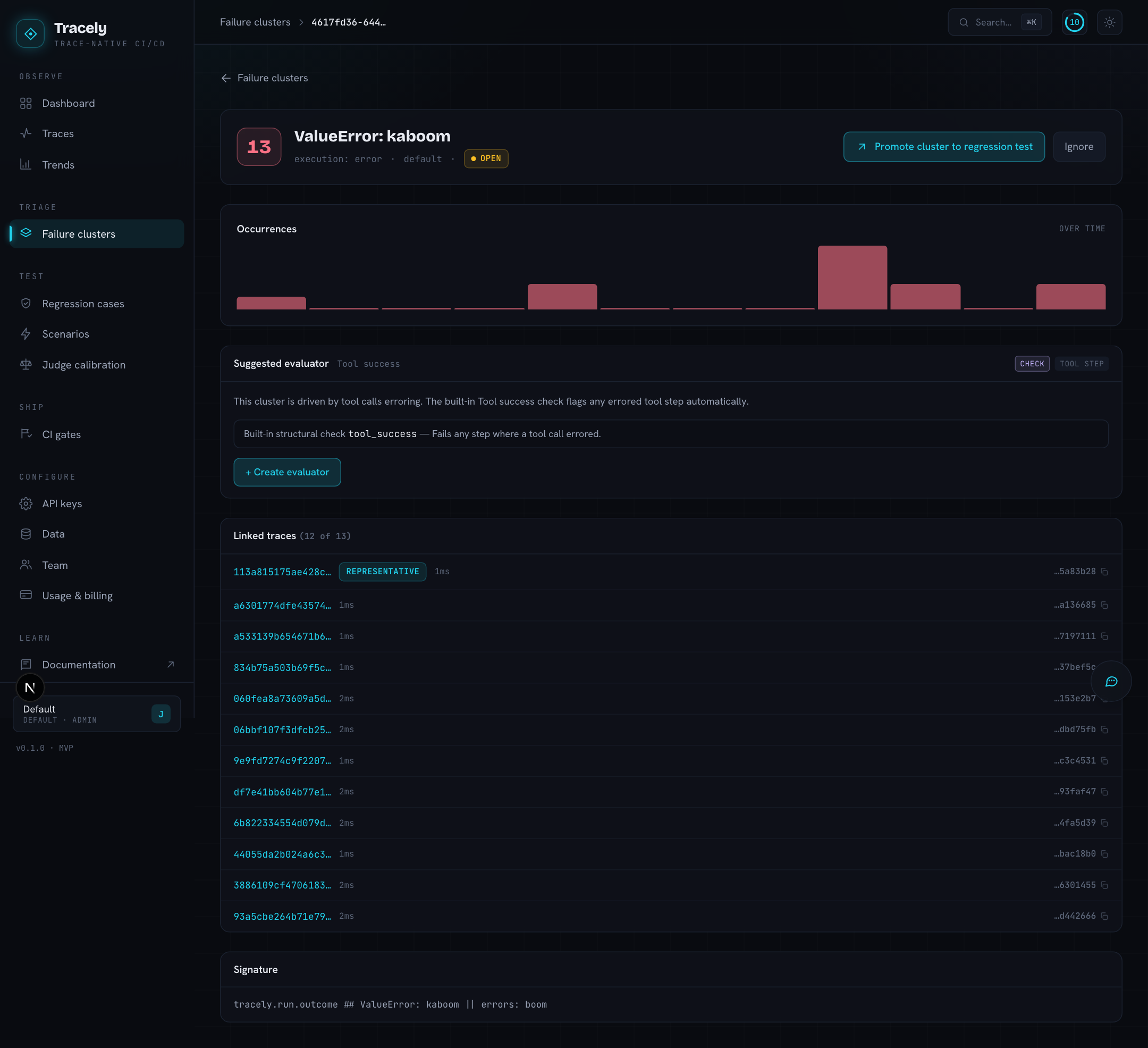
- Occurrences — when it happened, per day. A spike says a deploy did this; a flat line says it has always done this.
- By agent version — production runs per version and how many of them fail this way. When earlier versions served at least 20 runs without a single one landing here, the first version that does is named: introduced in v3. A failure present since the first version Tracely saw is never pinned on one. Needs
version=ontracely.agent(…)— a git sha is fine. - Analysis / Proposed fix — the written-up mechanism and what to change.
- Suggested evaluator — a draft column that would catch this class of failure going forward. Add it opens the Add Column form pre-filled so you can review, edit, and save it.
- Signature — the masked structural key.
- Member traces — every run in the cluster, with links.
Actions
- Promote cluster to regression test — freezes a representative failing run into a regression case. The case remembers which issue it came from.
- Ignore — hides the issue from the open count (a known limitation, noise, a third-party outage) without deleting the traces.
A cluster is a view over the scores. Change an evaluator — make a check advisory, tighten a threshold — and the next clustering reflects it; there is no separate list of issues to keep in sync.
Told, not found
A cluster being new is the signal worth interrupting someone for: it means a failure mode nobody has triaged just appeared in production. Set that up once under Alerts — trigger New failure mode, one Slack channel — and this page becomes somewhere you arrive already knowing why.